n8n Workflows
This guide is for testing the LayerProof n8n node locally using Layerproof public api
LayerProof can run inside a local or self-hosted n8n instance through the published community node package n8n-nodes-layerproof, so you do not need to call the API manually.
Before You Start
Make sure you have:
- npm
- python
Important:
- this guide is for local or self-hosted n8n
- use the API origin only for
Base URL - do not append
/apior/api/v2
Examples:
- correct:
https://api.prod.layerproof.app - incorrect:
https://api.prod.layerproof.app/api/v2
Local Setup
1. Install n8n global
npm install -g n8n
2. Start n8n
n8n
3. Open n8n
http://localhost:5678
4. Install layerproof
- Open community nodes in setting
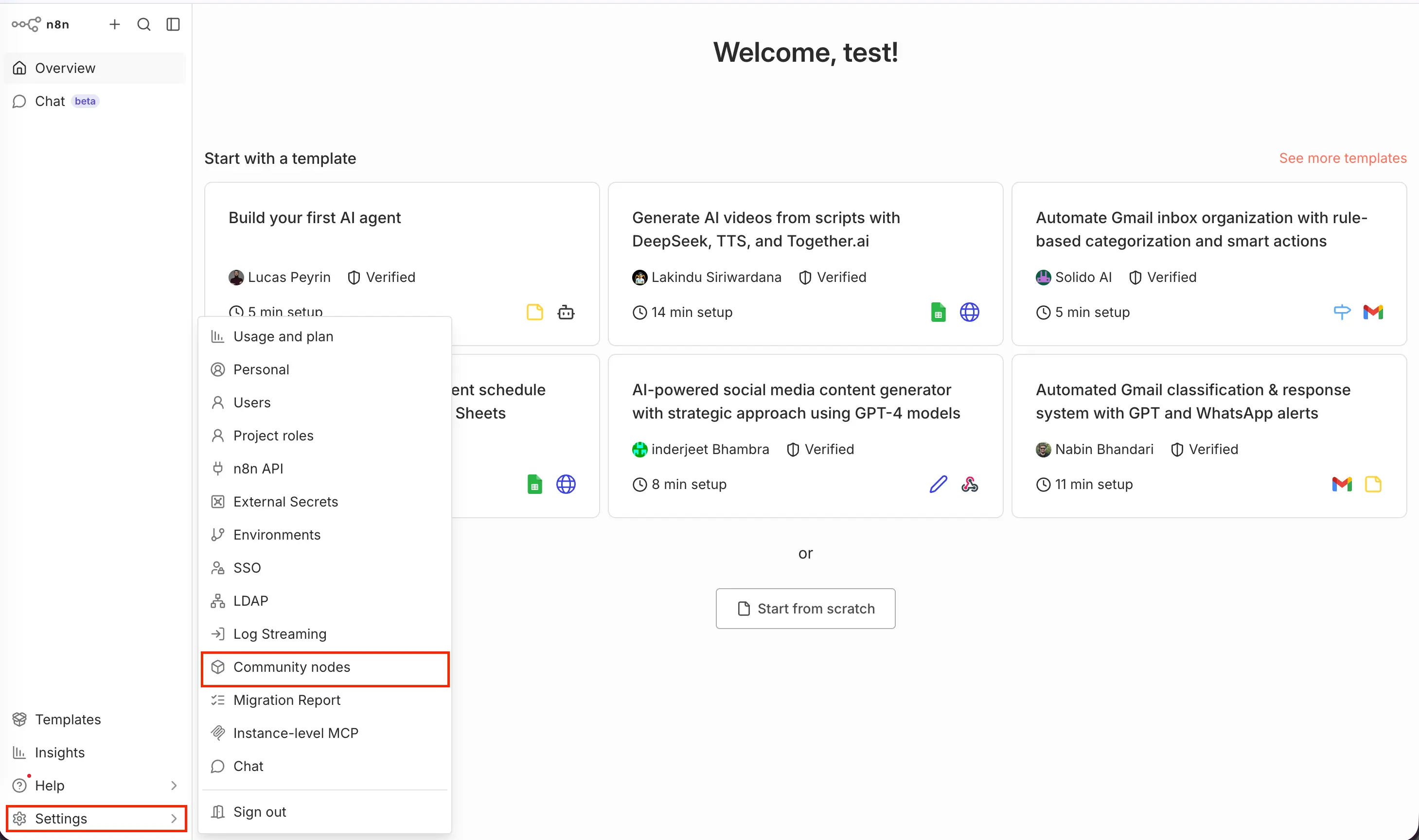
- Install Layerproof package Copy thís package and install
n8n-nodes-layerproof
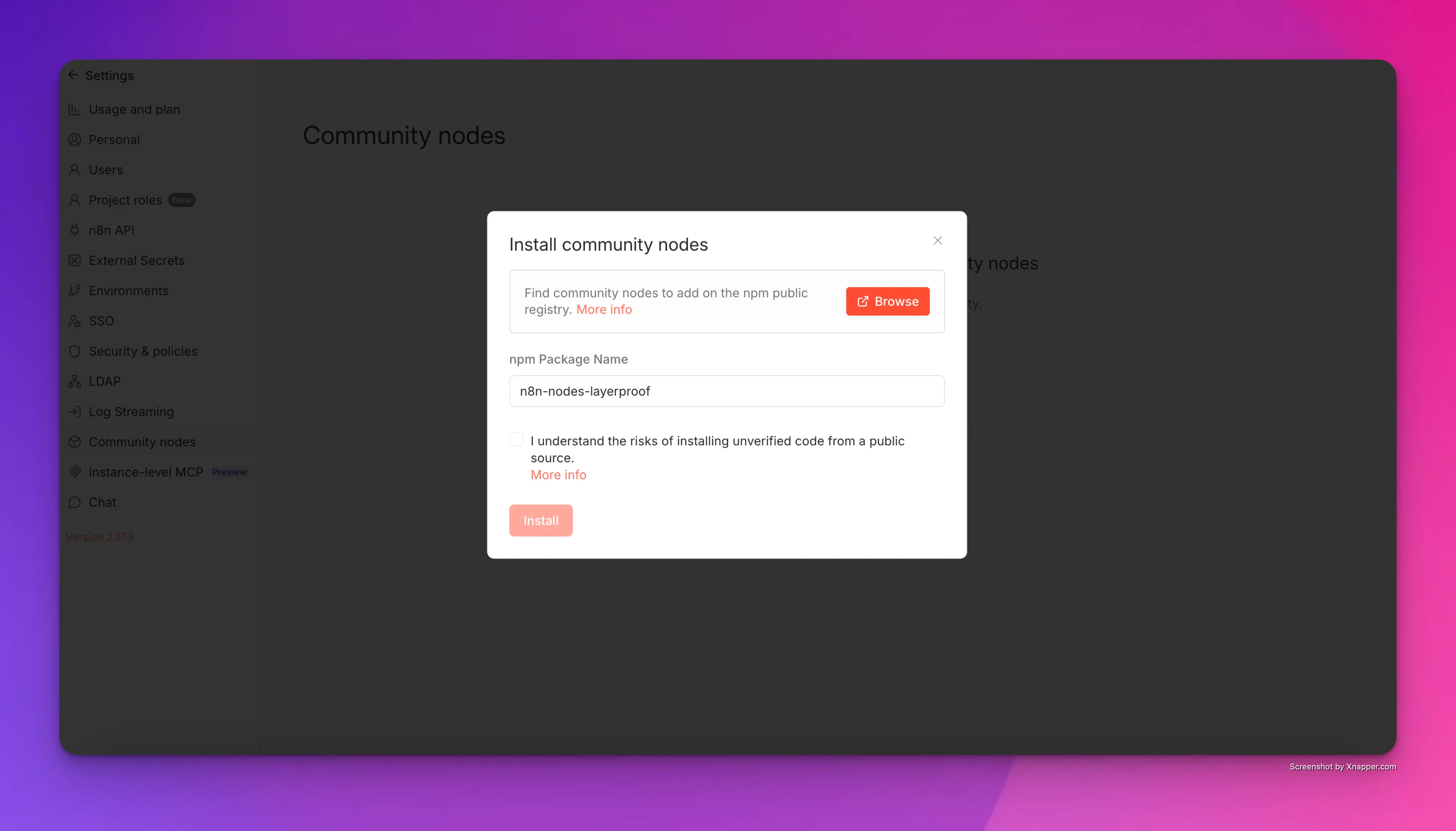
After that stop and restart n8n again
Add the Node in n8n
Use this flow:
- Create a new workflow
- Add
Manual Trigger - Click the
+button after the trigger - Search for
LayerProof
LayerProofis not a trigger node- do not search for it from the first trigger picker screen
Create LayerProof Credentials
-
Add the
LayerProofnode -
Create a new credential for
LayerProof API -
Enter:
API Key: your LayerProof API keyBase URL: your LayerProof API origin
-
Save the credential
Expected values:
API Key:sk_live_...Base URL:https://api.prod.layerproof.app
First Test
Start with a simple read-only call:
- Add
Manual Trigger - Add
LayerProof - Select your credential
- Set:
Resource:ProjectOperation:List
- Optionally set
Limitto1 - Execute the node
If setup is correct, the response should contain:
datanext_cursorhas_more
Common Mistakes
- using the wrong
Base URL - adding
/apior/api/v2intoBase URL - pointing to the web app instead of the API origin
- installing the package in the wrong directory
- forgetting to restart n8n after install
- searching for
LayerProofin the trigger picker
Troubleshooting
The node does not appear
Check that:
- the package installation finished successfully
- community nodes are allowed in your local n8n instance
- you reloaded the editor or restarted n8n
Credential test fails
Check that:
- the API key is valid
- the
Base URLis correct - the
Base URLdoes not include/apior/api/v2
The API returns 403
This usually means the API key is valid, but the account does not have the required LayerProof public API access.