How-to

What is LayerProof?

An overview of LayerProof, the AI tool that turns a short idea into social posts, designs, videos and motion graphics.

LayerProof is an AI content creation tool for small business owners, content creators and e-commerce sellers who need marketing material. Describe your idea in plain words, and an always-on AI assistant asks a few follow-up questions, then produces a finished post, design, video or motion graphic. To change something, message the assistant or edit directly on screen. No design or video editing skills needed.
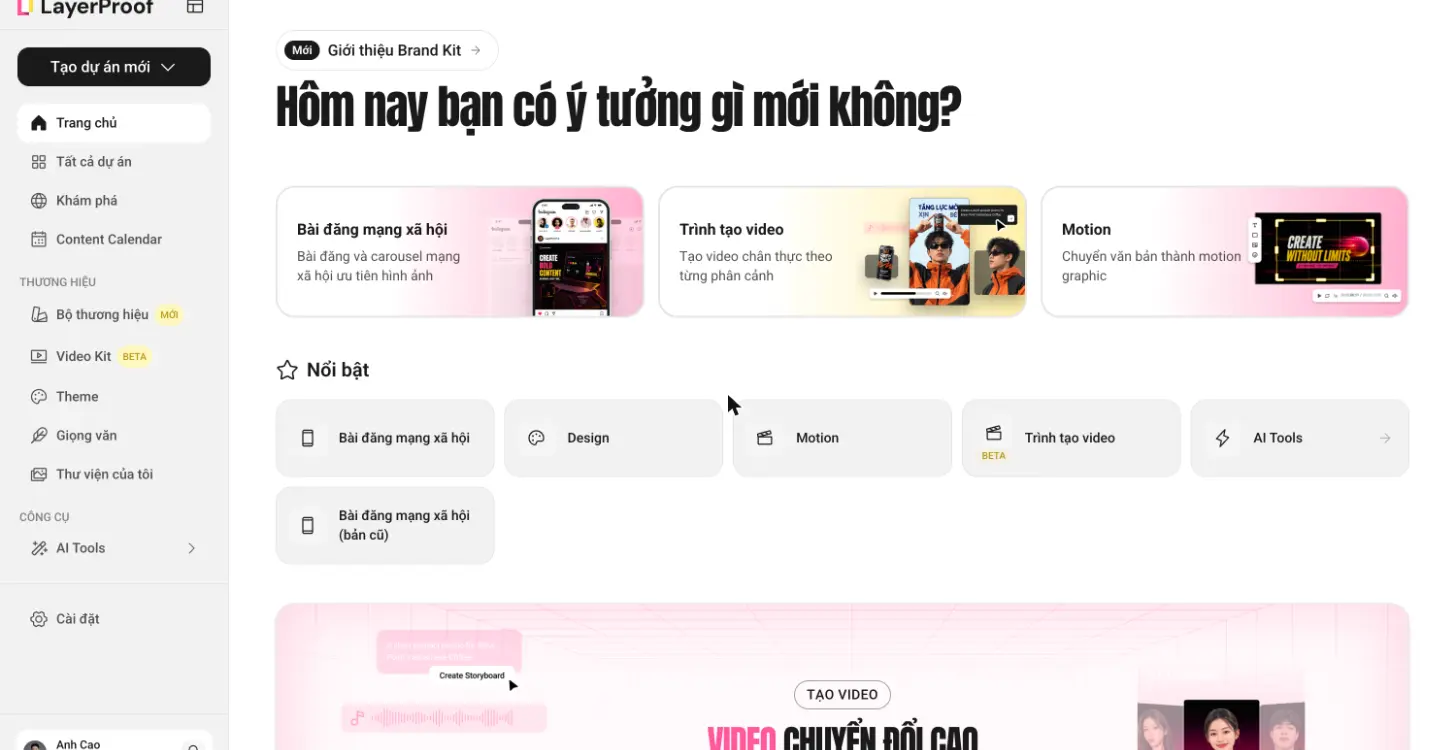
LayerProof home
LayerProof home
1

What LayerProof can do

ProductWhat you get
Social postsSingle images or multi-page carousels for Instagram, LinkedIn, Facebook, TikTok and X, in each platform's exact aspect ratio
DesignSlides, reports or a single design page, editable element by element and exportable to PDF or PPTX
Video generator (BETA)Short videos with a script, shots, dialogue and background music
MotionMotion graphic videos with moving text and shapes
2

Example uses

  • A cafe or shop owner needs a carousel introducing a new product for Instagram.
  • A creator needs a weekly series of educational posts, like "the benefits of drinking enough water".
  • A marketing team needs slides or posters that follow the brand identity.
  • An online seller needs a UGC-style ad video with a person talking to the camera, without filming.
  • A product maker needs a step-by-step explainer video or a launch teaser.
3

How LayerProof works

  1. You type an idea, even a short one.
  2. The assistant (agent) asks a few questions and summarizes your request.
  3. You review the summary, and LayerProof generates the result.
  4. If something isn't right, message the assistant or edit it directly.

So your job is to review and adjust, not to start from scratch.

4

AI models in LayerProof

LayerProof doesn't rely on a single model. Each task has a suitable model, and you can choose at the key steps. If you're unsure, pick Auto.

TypeModels
Image generationGemini 3 Pro Image, Gemini 3.1 Flash Image, plus other options such as GPT Image, Imagen, Seedream and FLUX
Video generationSeedance 2.5, Seedance 2.0 Mini, Veo 3.1, Veo 3.1 Fast
Assistant, image analysisGoogle Gemini for text reasoning and web search, OpenAI for image analysis (as listed in AI Keys)

This list comes from the app and pricing page as of 12 Oct 2026 and may change.

5

Supporting tools

  • Brand Kit: store your logo, colors, fonts and brand voice so everything stays on brand.
  • Themes and Tone: choose the visual style and writing style for posts.
  • Video Kit: keep the same character, background and voice across videos.
  • Content Calendar: schedule and manage posts across platforms.
  • AI Tools: remove backgrounds, extract elements and edit text inside existing images.
  • My Library and Explore: store your files and browse public community projects for inspiration.

Related guides

Ready to put your ideas into action?

Turn what you've learned into social posts and videos with LayerProof.

Try LayerProof