AI Keys lets you use your own API keys from AI providers (Gemini, OpenAI, Anthropic, Replicate). Keys are encrypted when stored and used in place of the shared keys whenever you send a request. By default, LayerProof uses system keys and charges credits.
🔐 An API key is sensitive information. Only paste your own key, don't share your screen while a key is visible, and never paste someone else's key.
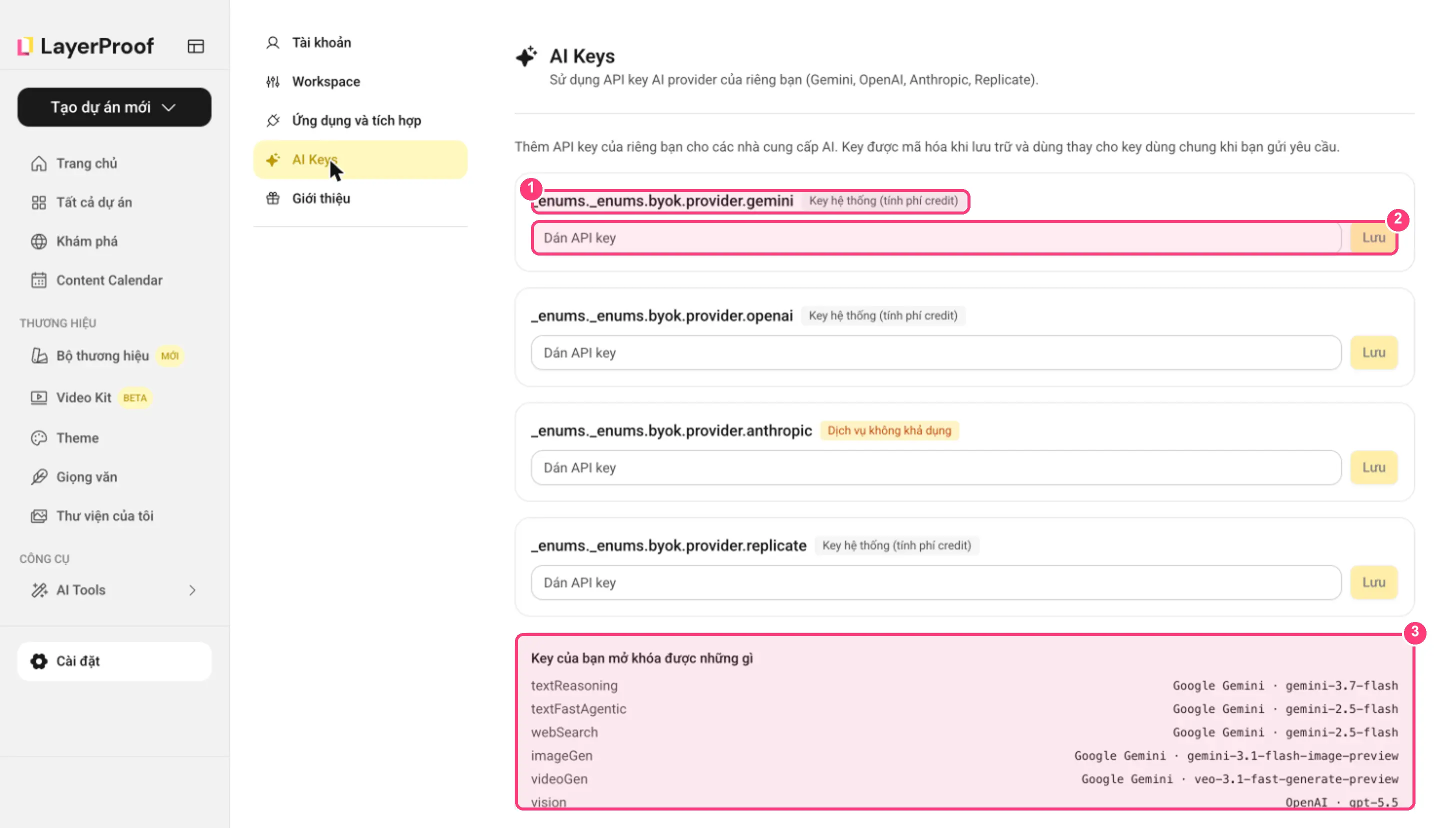
- Provider box and status label: System key (charged in credits) means you're using LayerProof's key. Service unavailable shows on Anthropic.
- Paste API key box and Save button: paste the key, then click Save.
- What your key unlocks: lists which model each task uses, for example image generation uses Google Gemini, video generation uses Veo, image analysis uses OpenAI.