The referral program invites friends to use LayerProof and both sides receive credits. According to this page, your friend gets 200 credits when they sign up, and you get 200 credits when they verify their email. The current limit is 20 successful referrals.
Refer friends to earn credits
Invite friends to LayerProof so you both get credits: track progress, copy your link and send invitations.
1
Check your progress
Go to Settings and choose Referrals. The Referral progress card shows the number of successful referrals (for example 0/20).
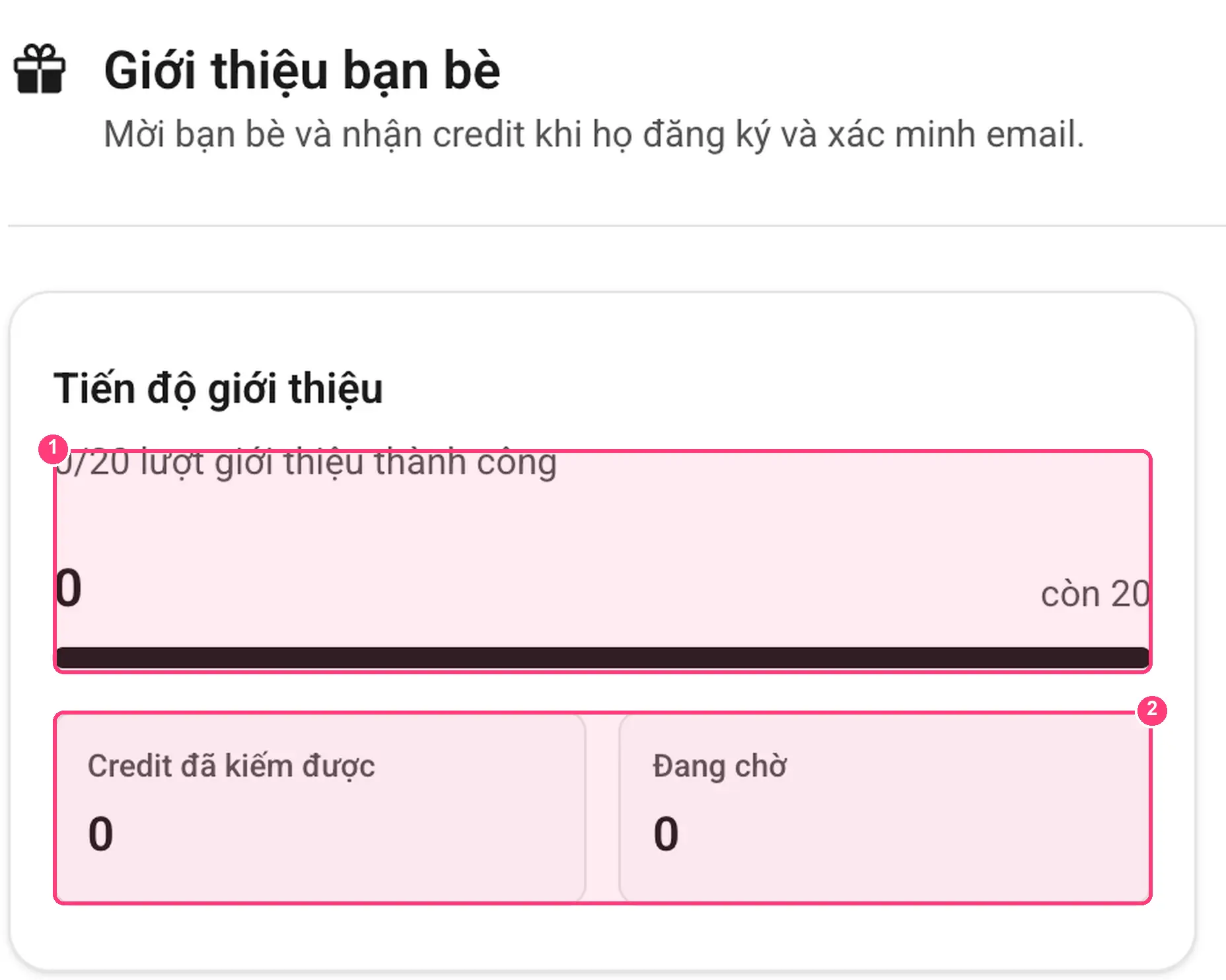
- Count and progress bar: shows how many referrals succeeded and how many remain.
- Credits earned and Pending.
2
Send invitations
The Your referral link card has your own Referral code and a Copy link button. Send this link to friends. Or invite by email: click Send invitation (or Send your first invitation) on the Invite friends tab.
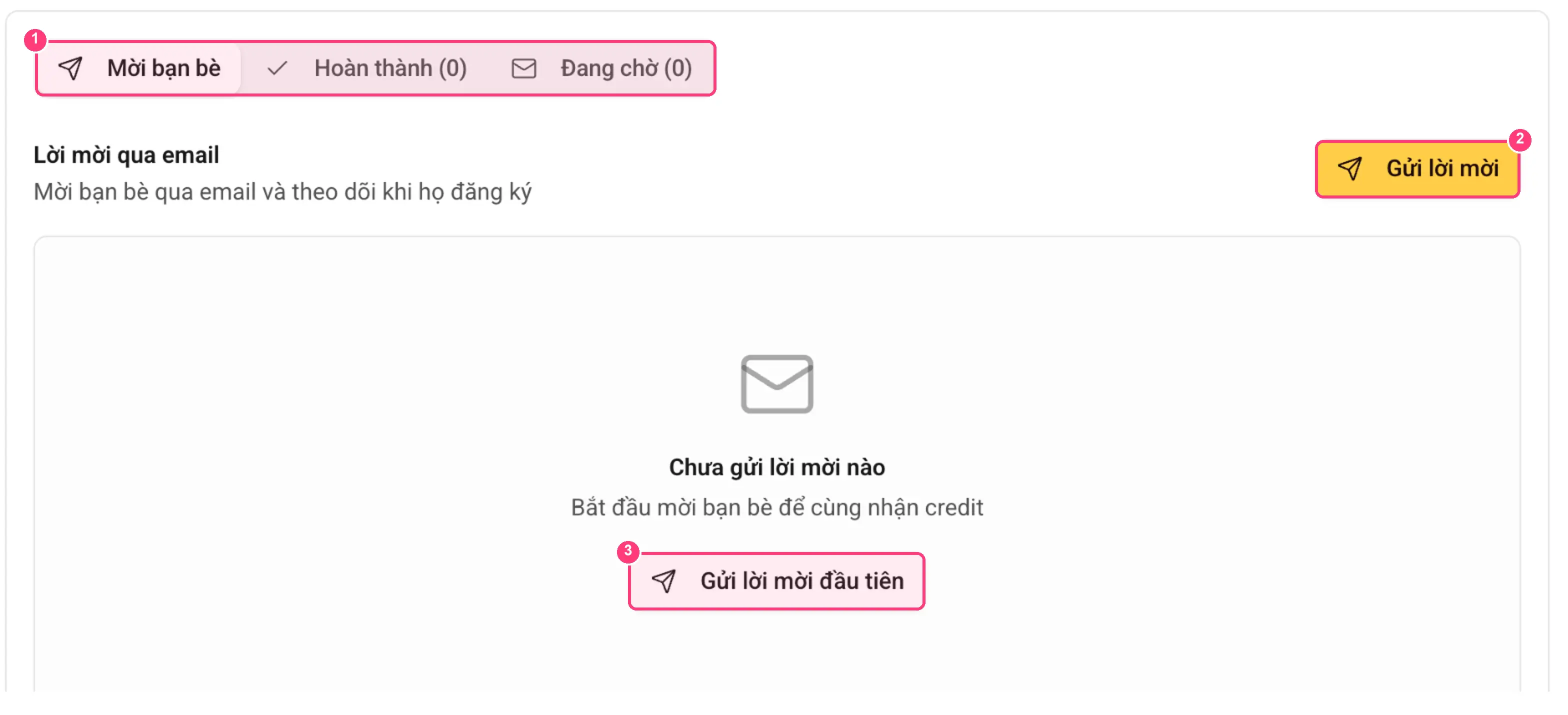
- Three tabs: Invite friends, Completed (succeeded) and Pending (invited but not finished).
- Send invitation: invite by email.
- Send your first invitation: this button shows when you haven't sent any invitation yet.
Related guides
How-to
Account
Change your name and profile photo and manage sign-in and security for your LayerProof account.
3 stepsReadHow-toWorkspace
Choose a light, dark or system interface and turn each type of notification on or off.
1 stepsReadHow-toApps and integrations
View status, add new or disconnect the social media accounts linked to LayerProof.
ReadReady to put your ideas into action?
Turn what you've learned into social posts and videos with LayerProof.
Try LayerProof